


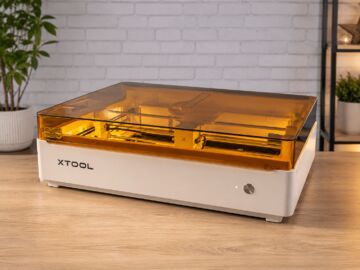
Check all the 7 reviews find on 3d Printers xTool M2, with the 5 ratings, comments, pros & cons from the reviewers.
Theses reviews and tests from 3d Printers magazines and websites give 5 ratings, we get this average rating to this xTool product : 4.3/5.
En bref
- 7 reviews and opinions with 5 ratings for xTool M2
- We obtain an average score of 4.3/5, or 86.8/100
xTool M2 ratings
Source: https://www.commentChoisir.fr
| 5/5 TechRadar | 94/100 Basic Tutorials | 9/10 LeCafeDuGeek |
| 4/5 Tom's Hardware | 7/10 Journal du Geek |
Pros and cons for xTool M2 List of reviews and ratings
To better compare, we looked for you the advantages and disadvantages of Below and the notes given by specialized sites.
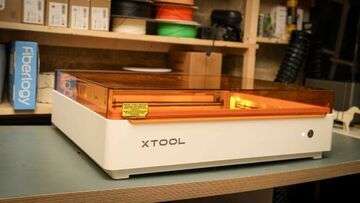
Excellent creative versatility
Smart camera positioning
Accessible beginner workflow
Ink dislikes water
Needs proper ventilation
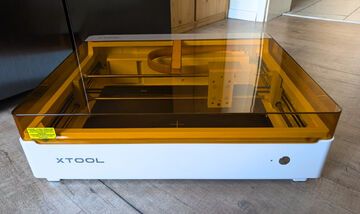
Laser point with a fine end of 0.06 x 0.04 mm with a 10W laser module.
high speed movement up to 600 mm/s
Dual camera system for part positioning and detection.
integrated air assist pump
CMYK inkjet printing with a resolution of up to 1,200 x 1,200 dpi.
Printing and cutting workflow within the same machine
RA3 Lite allows the processing of round parts.
Closed enclosure with class 1 laser
The blue diode laser cannot engrave transparent glass without a prepared surface.
For some metals and plastics, a separate IR module is required.
CMYK printing requires proprietary ink cartridges as consumables.
Water-based ink is not suitable for all applications without further treatment.

Highly accurate dual camera for positioning.
Engraving and cutting of high quality
Very interesting Print Then Cut function
Many automations that save time
Wide variety of compatible materials
Evolving machine thanks to the numerous modules and accessories.
Generous work surface
Getting started with xTool Studio requires some adaptation time.
Smoke and odors during cutting
Accessories represent an additional cost.
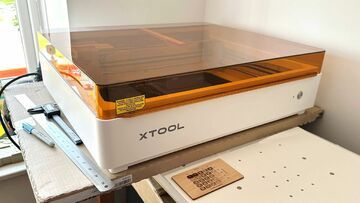
New $549 entry price
+
Twin positioning cameras
+
Air assist integrated
+
Black ink added to print process
+
xTool Studio is generally good software
+
Fully enclosed with built-in extractor fan
+
10W diode, 20W diode, CMYK, 2W IR laser head options
Extras can soon push the price beyond $1,000
-
Non-refillable ink cart costs $99 to replace
-
Cutting base is just a flat metal tray
-
Provided magnetic material standoff clamps are flimsy
-
A few operational wrinkles
+ Magnetic head change in a few seconds
Color printing and unique cutting at this price
xTool Studio is a free, comprehensive, and regularly updated tool.
Clean cutting and engraving on most materials.
Limited printing to clear and porous media
+ Browned edges on paper and fabric
No honeycomb support
closed class 1 enclosure
Camera system for precise positioning
WLAN connection
Head change without tools
Integrated air support
Automatic ink cartridge sealing
much simpler than many open systems
No support for LightBurn
Magnetic support a little "difficult to handle"
no honeycomb underlayer
No real emergency switch is available.
Beginner-friendly: Very simple to use and clear configuration.
Intuitive software: xTool Studio with clear 3D visualization and model library.
Security features: Integrated fire detection and Class 1 certification.
Standard connection: Built-in connection for smoke extraction.
Short suction hose: Placement near the window or additional filter absolutely necessary.
No physical emergency stop button: the emergency stop is only done through the function button or the software.
Expensive ink: ink cartridges for the print head increase subsequent costs.
xTool M2 Users & Customers reviews
(affiliate links)
Introducing the xTool M2
The xTool M2 is a versatile laser engraving machine designed for both professionals and demanding hobbyists. With its 10 W laser power and large working area, it delivers precise and fast engravings on a variety of materials.
Launch Date
The xTool M2 was launched in March 2023.
Average Price
The average price is around 1500 euros.
Positioning in the Range
The xTool M2 is positioned as a mid-range model, offering an excellent balance between performance and price, ideal for users seeking a powerful machine without the cost of high-end models.
Differences Compared to Other Models
Compared to other models in the lineup, the xTool M2 features higher laser power than the M1, a larger working area, and improved connectivity with built-in Wi-Fi, making it more flexible and efficient for various projects.
- Laser power: 10 W
- Working area: 430 x 406 mm
- Engraving precision: 0.01 mm
- Engraving speed: up to 600 mm/s
- Connectivity: USB, Wi-Fi
- Compatibility: Windows, macOS
- Weight: 12 kg
Info and Conclusion
xTool M2 review : With an average rating of 4.3/5, you can buy xTool M2 with your eyes closed (or almost). The opinions of the testers seem unanimous !
What rating did xTool M2 get?
An average rating of 4.3/5 with 5 ratings.What price ?
(Check the price: amazon)
Reviews of others 3d Printers xTool
Test xTool F2, Test xTool P3, Test xTool F2 Ultra,... and find all reviews find for brand xTool
Your review and rating for xTool M2:
[4.5/5] Bambu Lab R1